Partners

Build with CRY DIGITAL Media

White-label distribution, API integration and B2B partnerships for the next generation of music technology companies.

CRY DIGITAL MEDIA • 26

Partner Network

Labels, studios, media companies and business partners connected to CRY services.
LabelsPartnersServicesNetwork
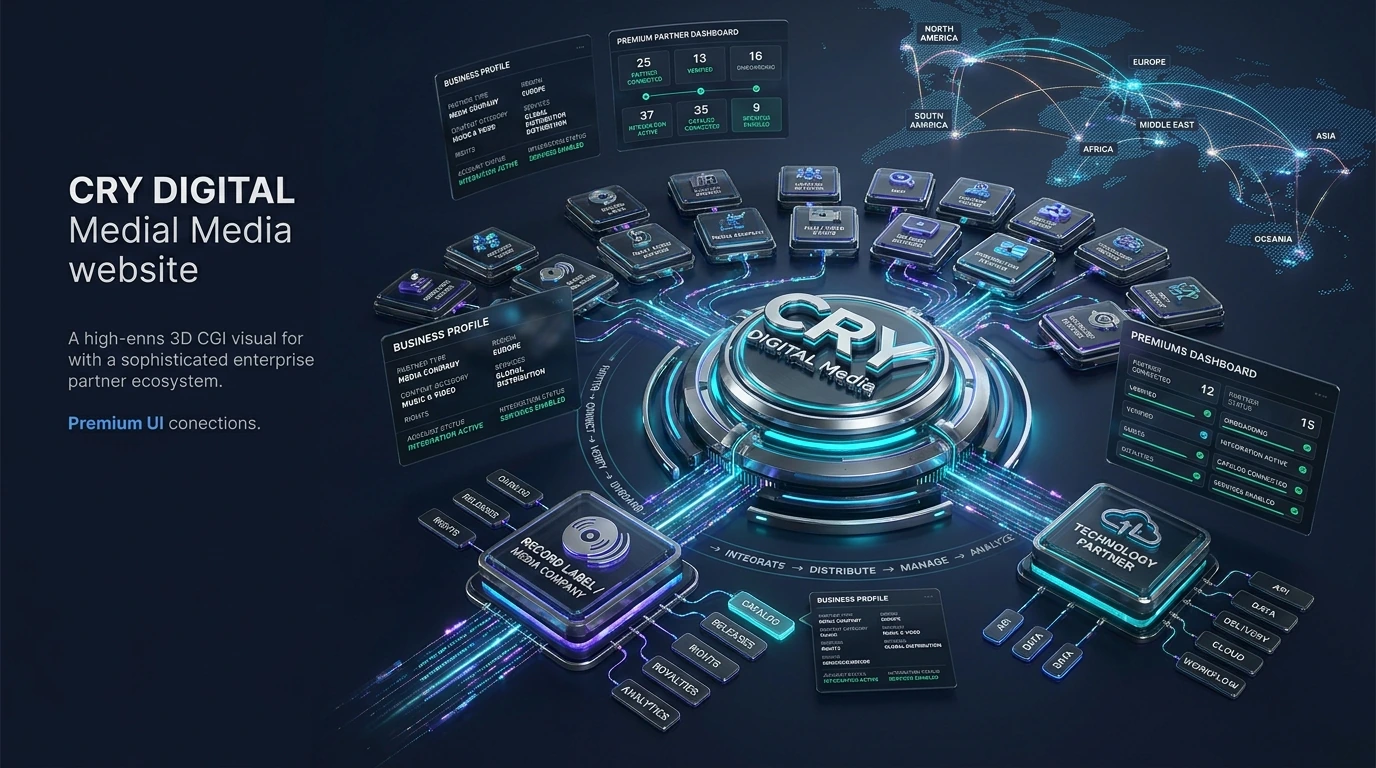
Partner Network — CRY DIGITAL MediaVISUAL 26 MOTION READY

Distribution API

Integrate global delivery into your own product via our REST API.

White-Label

Offer distribution under your own brand with full white-label access.

B2B Collaboration

Co-deliver music services to labels, agencies and platforms.

Platform Integration

Connect your app to 180+ destination platforms seamlessly.

PARTNER ECOSYSTEM

Connect labels, studios, publishers and media partners to the CRY service network

Partner workflows combine business onboarding with content operations. A partner can have its own service scope, catalog relationship, rights context, delivery activity and reporting needs without being reduced to a generic logo wall.

01

Partner profile

Represent the verified business type, region and approved service scope.

02

Catalog connection

Associate partner-owned or managed content with the appropriate catalog and delivery workflows.

03

Rights context

Keep licensing, ownership and authorised service information linked to the partner record.

04

Service configuration

Enable only the services approved during onboarding and review.

05

Analytics & reporting

Provide account-specific operational reporting once the partner is active.

06

Support routing

Connect business, rights, delivery and technical questions to the correct support path.

How the workflow fits together

STEP 01ApplySubmit a partner application.
STEP 02ReviewAdmin verifies the business and service interest.
STEP 03OnboardConfigure the approved account and services.
STEP 04IntegrateConnect catalog and operational workflows.
STEP 05OperateDistribute, monitor, report and support ongoing activity.

A partner network is more than logos

The main visual presents partner types and service connections rather than implying unverified partnerships.

  • Label and publisher context
  • Studio and media partner context
  • Technology/integration context
  • Regional business context

Onboarding remains approval-driven

The secondary onboarding visual explains the application-to-activation path without implying automatic acceptance.

  • Application
  • Verification
  • Service setup
  • Activation
Can any company appear as a partner?

No. Public partner representation should use verified, approved partner information.

How do business partners apply?

Use the sign-up form and choose the relevant business/partner account type and service interests.

Can a partner have multiple services?

Yes conceptually, but actual access depends on the approved service scope.

Are integration details public?

No. Public pages describe the architecture but do not expose credentials or private implementation details.

CRY DIGITAL MEDIA • 17

Partner Onboarding

Business application, review, integration and activation.

PartnerReviewSetupActivate
Partner Onboarding — CRY DIGITAL MediaVISUAL 17 MOTION READY
DETAILED FEATURE OPERATIONS • CRY DIGITAL MEDIA

Partner operations — verified organisations, service scope and connected media workflows

The partner ecosystem is designed for labels, publishers, studios, media companies, creator networks, rights holders and other verified organisations. Partner records connect identity, service scope, catalog, rights, delivery, analytics, royalties and support rather than functioning as a decorative logo wall.

01 • PARTNERS

Partner verification

Review the organisation, contact and public/business context before account activation.

02 • PARTNERS

Service scope

Record which distribution, rights, CMS, analytics, royalty or creator services are actually approved.

03 • PARTNERS

Catalog connection

Associate partner-owned or authorised catalogs with the correct partner account.

04 • PARTNERS

Rights context

Keep ownership, licensing and territory information linked to partner content and service permissions.

05 • PARTNERS

Platform routes

Activate only verified destinations that match the partner service and rights scope.

06 • PARTNERS

Reporting access

Scope analytics, delivery status and royalty reporting to the authenticated partner account.

07 • PARTNERS

Support routing

Send catalog, rights, delivery or account questions to the relevant operational path.

08 • PARTNERS

Relationship history

Maintain approval, service changes, notes and support history as the partnership evolves.

Operational rules that keep the workflow accurate

  • Do not publish an organisation as a partner without verification.
  • Keep official partner logos unchanged when supplied.
  • Separate account approval from individual service activation.
  • Scope private reporting and catalog data to the authenticated partner.
  • Record changes to service or rights scope.
  • Use support history to preserve context across future requests.

Connected operating path

01Apply and verify the partner account.
02Approve service scope and connect catalog/rights context.
03Activate configured services and destinations.
04Provide account-scoped tracking and reporting.
05Maintain the relationship through support and controlled updates.
One connected media operating layer

Ready to move content with more control?

Explore the service that fits your catalog, submit a business or creator application, or contact the CRY DIGITAL Media team about distribution, CMS, rights, channel management and platform operations.

CRY DIGITAL MEDIA • PLATFORM ECOSYSTEM

Global entertainment & media destination ecosystem

CRY DIGITAL Media presents music, film, television, OTT, creator and digital-media workflows through one connected distribution, rights, CMS, analytics and monitoring layer.
Third-party brand names identify destination and ecosystem context. Availability, partnership, endorsement, licensing and direct-integration status should always match current agreements, rights, territory and platform-program permissions.
The Walt Disney Company presentation tile
The Walt Disney CompanyDisney+ • Hulu • ESPN
Netflix presentation tile
NetflixGlobal streaming
Amazon Prime Video presentation tile
Amazon Prime VideoPrime Video
Warner Bros. Discovery presentation tile
Warner Bros. DiscoveryMax / Discovery entertainment ecosystem
Paramount Global presentation tile
Paramount GlobalParamount+
Sony Pictures Entertainment presentation tile
Sony Pictures EntertainmentFilm • TV • digital operations
NBCUniversal presentation tile
NBCUniversalPeacock • entertainment
Apple presentation tile
AppleApple TV+
Zee Entertainment Enterprises presentation tile
Zee Entertainment EnterprisesZEE5
JioStar presentation tile
JioStarJioHotstar • Star network
SonyLIV presentation tile
SonyLIVOTT / TV
Sun NXT presentation tile
Sun NXTOTT / TV
Hoichoi presentation tile
HoichoiRegional OTT
Hotstar presentation tile
HotstarOTT / VOD
SON Bangla presentation tile
SON BanglaBroadcast / content
Universal Pictures presentation tile
Universal PicturesInternational film / studio
Spotify presentation tile
SpotifyMusic DSP
Apple Music presentation tile
Apple MusicMusic DSP
YouTube Music presentation tile
YouTube MusicMusic DSP
Amazon Music presentation tile
Amazon MusicMusic DSP
Deezer presentation tile
DeezerMusic DSP
TIDAL presentation tile
TIDALMusic DSP
JioSaavn presentation tile
JioSaavnMusic DSP
Wynk Music presentation tile
Wynk MusicMusic DSP
Gaana presentation tile
GaanaMusic DSP
Universal Music Group presentation tile
Universal Music GroupMusic rights / label
Sony Music Entertainment presentation tile
Sony Music EntertainmentMusic rights / label
Warner Music Group presentation tile
Warner Music GroupMusic rights / label
YouTube presentation tile
YouTubeVideo / creator
Facebook presentation tile
FacebookSocial / creator
Instagram presentation tile
InstagramSocial / creator
TikTok presentation tile
TikTokShort-form / creator
SoundCloud presentation tile
SoundCloudMusic / creator
Select a destinationClick a platform card to explore its delivery context.
Configure → Validate → Rights → Route → Deliver → Monitor
Need distribution, CMS, channel, rights or entertainment support?

Use the website contact routes or open a direct WhatsApp conversation with CRY DIGITAL Media.

WhatsApp Business →
Live ChatWhatsApp • +880 1767-032029