Upload & intake
Receive approved content assets and establish the catalog record.
No complicated setup. No hidden fees. Just your music, delivered worldwide.
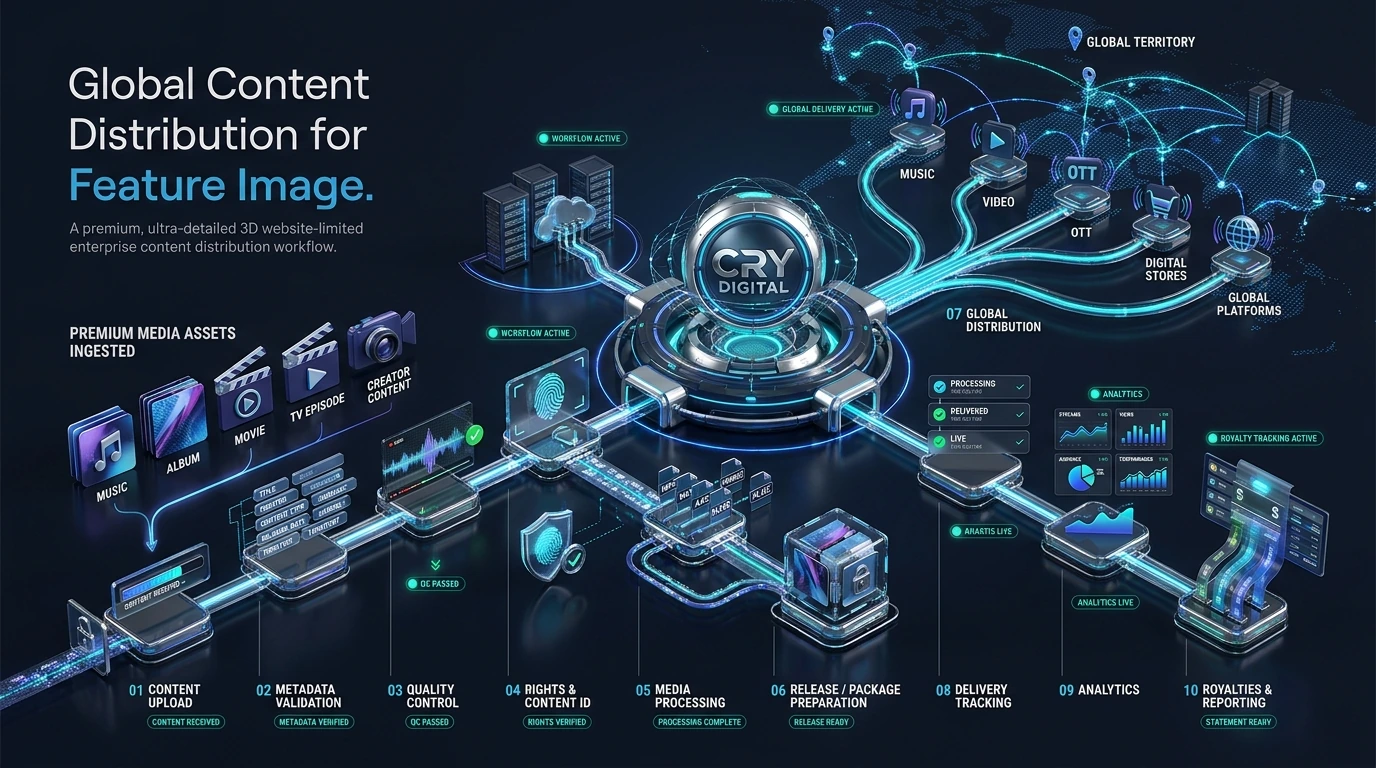
The complete content workflow from intake through delivery and reporting.
 VISUAL 14 MOTION READY
Add your audio, artwork and metadata. We validate ISRC, format and rights automatically.
Pick platforms, set release date, enable pre-save and choose your monetization options.
Your release goes live across 180+ platforms in 1–3 business days (24h priority available).
Monitor streams and royalties in real time. Withdraw once you hit the payout threshold.
The complete workflow connects upload, metadata, quality control, rights review, packaging, distribution, status tracking, analytics and royalties. Each stage has a clear purpose so users can understand what happens before the next step begins.
Receive approved content assets and establish the catalog record.
Capture the information required to identify and present the content correctly.
Review the technical and presentation readiness of the assets.
Check ownership, licensing and territory context relevant to the approved service.
Prepare and route the validated package to supported destinations.
Follow status, analytics and royalty-related workflows after delivery.
A strong workflow avoids forcing users to re-enter the same information in disconnected screens.
If an item needs correction, the workflow should surface the affected stage and allow it to return to the main path after review.
The high-level stages are similar, but specific metadata, quality and destination requirements can vary by media type.
The affected item can move into an action-required state for review, then return to processing after correction.
Performance reporting begins after the relevant data becomes available from connected sources.
The payout workflow is explained separately on the How Payment Works page.
This page explains the full lifecycle in one place so visitors do not have to infer how separate features connect. The flow begins with account/application review, then content and metadata preparation, rights validation, service activation, destination routing, status monitoring, analytics, royalties and ongoing catalog or support maintenance.
Collect the creator, label, partner or rights-holder information needed for review.
Keep new accounts pending until an administrator approves or rejects the application.
Create the content records, versions, assets and metadata that other services depend on.
Connect ownership, licence and territory context before rights-dependent workflows are enabled.
Enable the approved distribution, CMS, creator, analytics or rights modules for the account.
Configure verified destination categories and delivery prerequisites.
Follow delivery state, analytics, statements and other account-scoped operational outputs.
Handle updates, support, rights changes, new releases and future service configuration as ongoing operations.
Explore the service that fits your catalog, submit a business or creator application, or contact the CRY DIGITAL Media team about distribution, CMS, rights, channel management and platform operations.