Profile context
Represent an artist, creator, producer, label or media partner without inventing public identity details.
Whether you're dropping your first single or managing a catalog, CRY DIGITAL Media puts you in control.
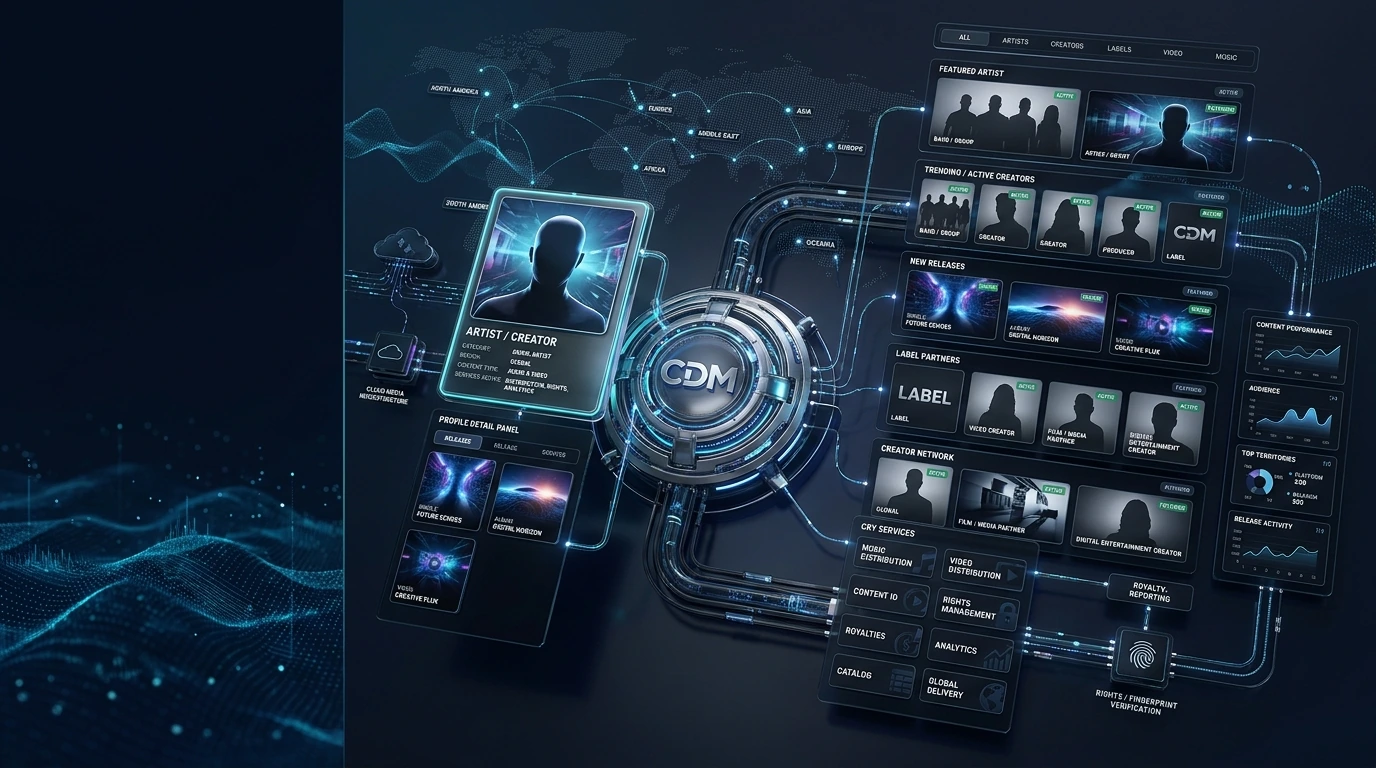
A professional artist and creator roster connected to releases and services.
 VISUAL 35 MOTION READY
100% ownership, forever. We never take a cut of your rights.
Get discovered on every major platform across 210+ countries.
Schedule drops, run pre-saves and manage your catalog with ease.
The artist and creator experience connects profiles with releases, service access, rights context, analytics and onboarding. Public roster visuals remain generic unless verified artist assets and information are intentionally provided for publication.
Represent an artist, creator, producer, label or media partner without inventing public identity details.
Link approved releases and catalog items to the relevant profile.
Show which approved distribution, rights, analytics or royalty services apply to the account.
Keep content ownership and permitted rights services connected to the profile and release.
Present account-specific analytics only inside authorised views while using placeholders publicly.
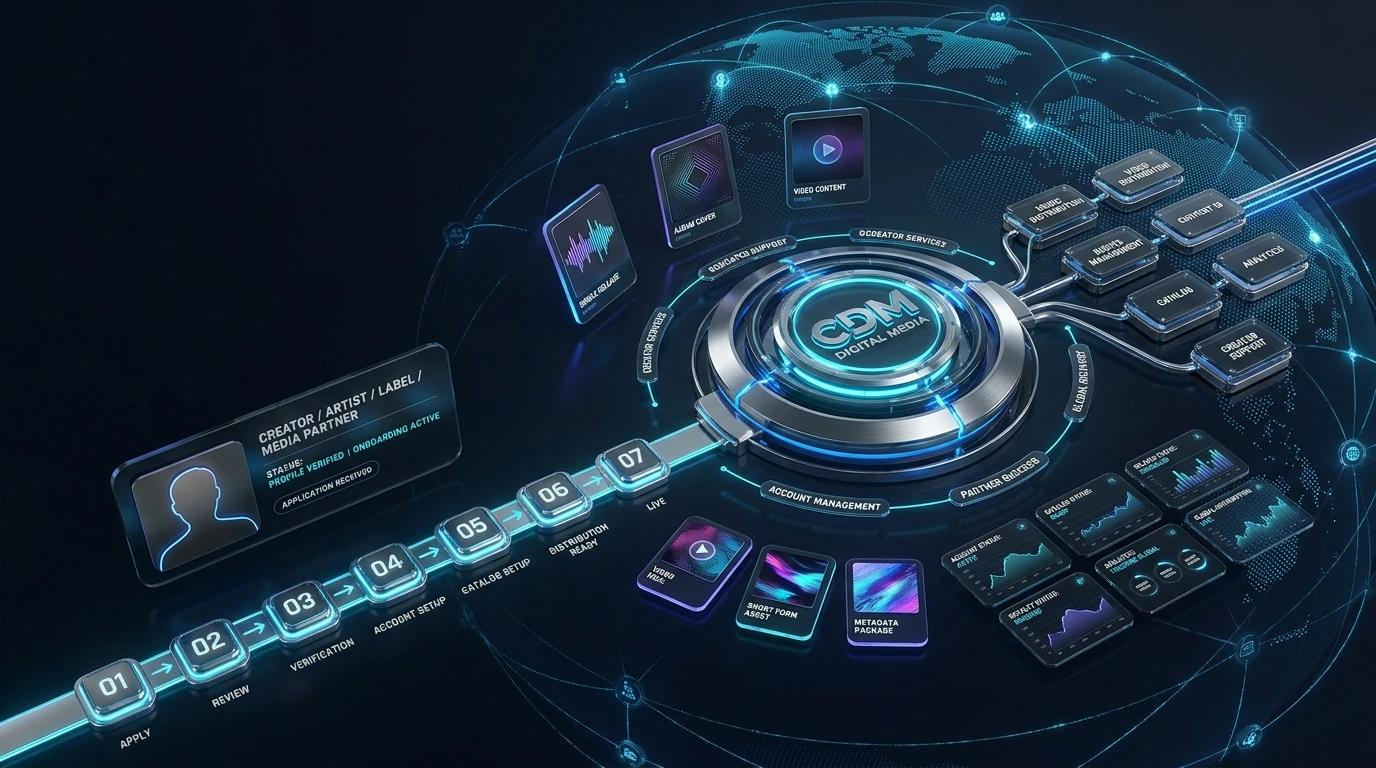
Move new applicants from review to verified account setup and active services.
The public website can showcase verified talent while keeping application details, email addresses and account data private.
The secondary onboarding visual explains the journey from application through verification and service activation without implying automatic approval.
No. Public representation should only use verified and intentionally published profile information.
The sign-up form allows applicants to indicate service interests, which remain subject to admin review.
Not by default. Account-specific analytics belong in authenticated views unless a verified case study is intentionally published.
Submit the application form, then wait for admin review and approval before account access is activated.
Application, verification, service setup and account activation journey.
 VISUAL 13 MOTION READY
The artist page becomes more useful when profiles are connected to actual operational context. A roster item can link to approved releases, content types, account services, catalog records, rights context, distribution state and analytics without inventing follower counts, rankings or celebrity endorsements.
Use approved artist, creator, label or media-partner identity information and supplied imagery.
Connect the profile to the releases or content records it legitimately represents.
Show distribution, rights, analytics or creator services only when they are part of the approved account.
Present current and catalog releases with original/supplied artwork rather than copied third-party content.
Keep ownership and management context separate from visual promotion.
Link relevant releases to delivery or live-state information without publishing private operational details.
Keep private analytics behind authenticated access; public case studies should use only verified figures.
Route creator onboarding, account questions and future catalog activity through structured support.
Explore the service that fits your catalog, submit a business or creator application, or contact the CRY DIGITAL Media team about distribution, CMS, rights, channel management and platform operations.